TOYOTA
Vehicle Configurator
With 3.3M monthly visitors, this 10yr old product needed a fundamental rethink... a reimagination of how vehicles and configuration options were presented to the user.
Spoiler Alert: Completion rate increased by 31%.
PROJECT DETAILS
ROLE
UX Design Lead
CREATIVE TEAM
Brady Tuazon, Stevie Spencer, Jamie Sun
TOOLS
Figma, Principle, Jira/Confluence
ENGINEERING TEAM
iCrossing.com
Stephen Menesick, Josh Spears, Sean Shedlarski, Grace Huang Ditsworth, Nagender Singh
GOALS
PROJECT GOALS
Complete Redesign of Build & Price tool to increase education & engagement across upper, mid and lower funnel users.
STRATEGY
Educate users on vehicle possibilities to more confidently make vehicle selection and configuration decisions.
PERSONAL GOAL
Dissect the complexities of vehicle manufacturing to present an effortless experience to users and more intuitively break down vehicle possibilities across trim choices.
RESEARCH
Heuristics
No way to get clear comparison of trim levels; No way to find out which trim levels have which options available.
Duplicate vehicle cards for multiple model years; e.g. "Tacoma 2023" & "Tacoma 2024"
Engine choice included more than just the engine, often including transmission, drivetrain, and in the case of Sienna, seating configuration.
Accessories increased from around 25 to over 100.
Cab & Bed selection had inconsistent and conflicting language without any visual depiction until selected.
Problem
Users are unable to find options they are looking for, it's unclear which grade to select to add desired options.
"Which grade has Apple CarPlay?"
"I want a moon roof."
"I want heated seats."
Cognitive load among certain steps is unnecessarily high.
Vehicle render scrolls out of view on both mobile and desktop.
Strategy
Primary Goal Education
Among both high & low funnel guests, educating about vehicle configuration possibilities is the main goal of the tool.
Experience Pillars Effortless / Conclusive / Gratifying
Conflict.. Among users who encounter conflict, a larger percentage complete through summary.
Challenges.. "Which grade has Apple CarPlay?", "I want a moon roof.", "I want heated seats."
NAVIGATION
User Flow Update
Existing Flow (top) vs. Updated Flow (bottom)
The Big Picture
DESIGN
User Interface
Option 1
Horizontal interface — Individual Category Pages allow focus on single step at a time.
Option 2
Vertical interface — Individual Category Pages allow focus on single step at a time.
Option 3
Mobile: Vertical interface
Desktop: Combination Horizontal interface + vertical
Continuous scroll - “everything at your fingertips”
DESIGN
User Interface
Fresh Perspective
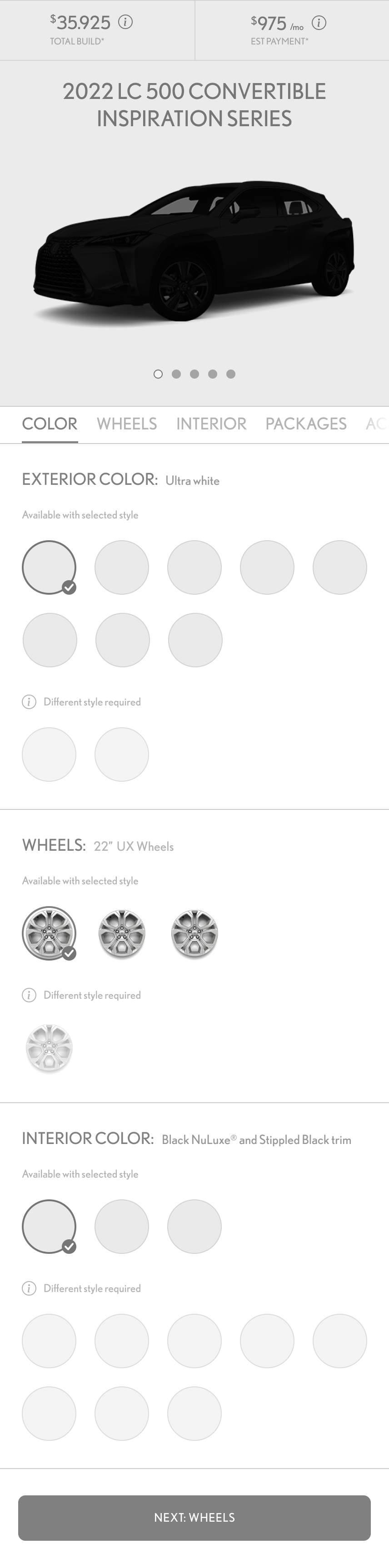
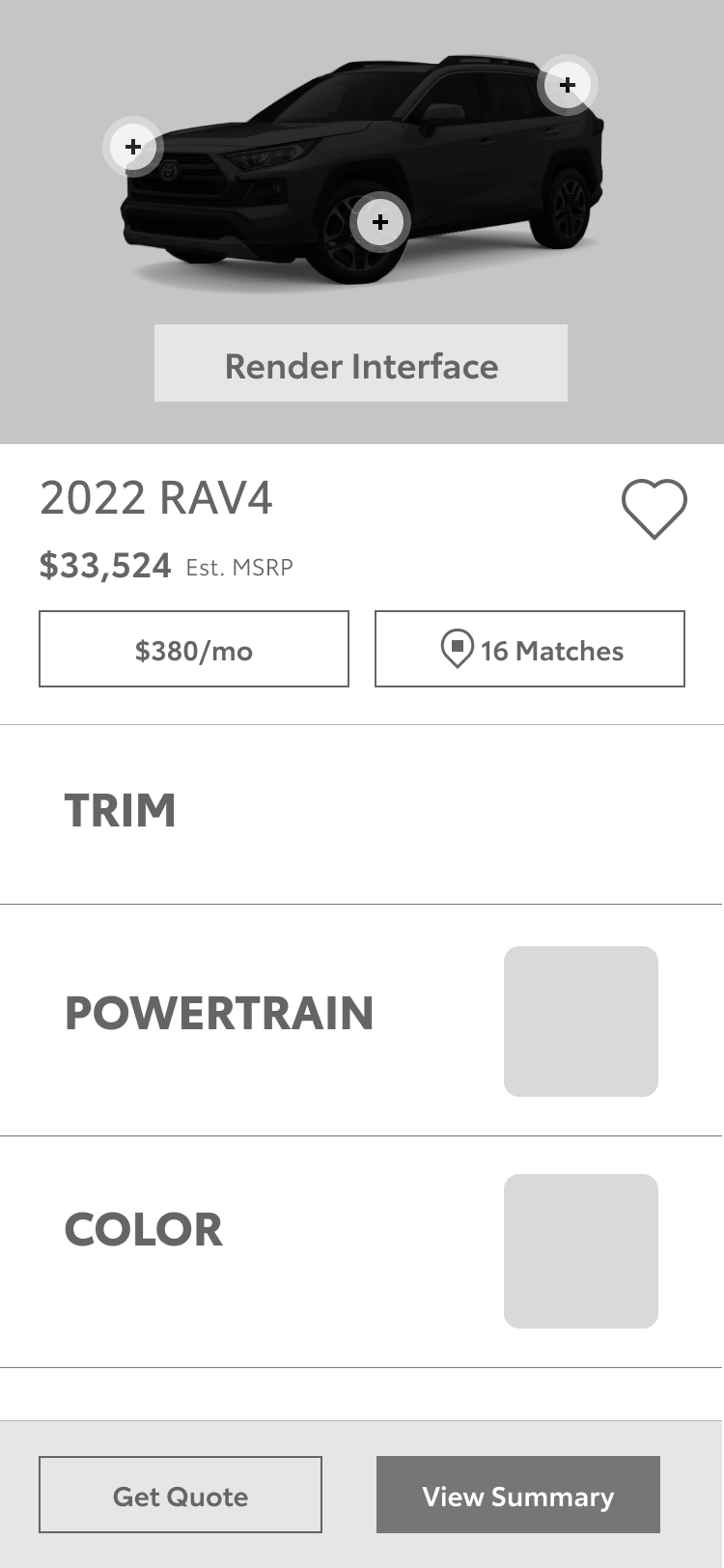
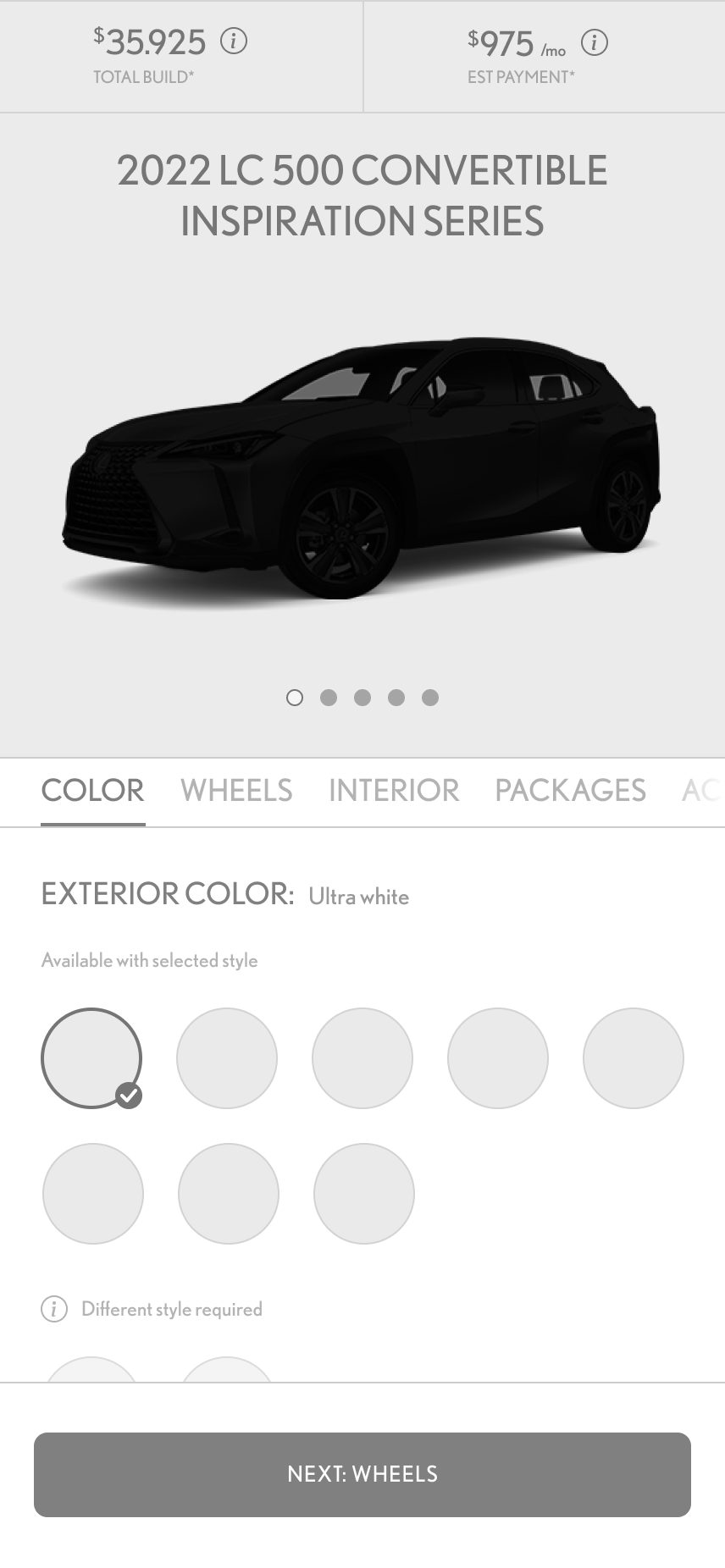
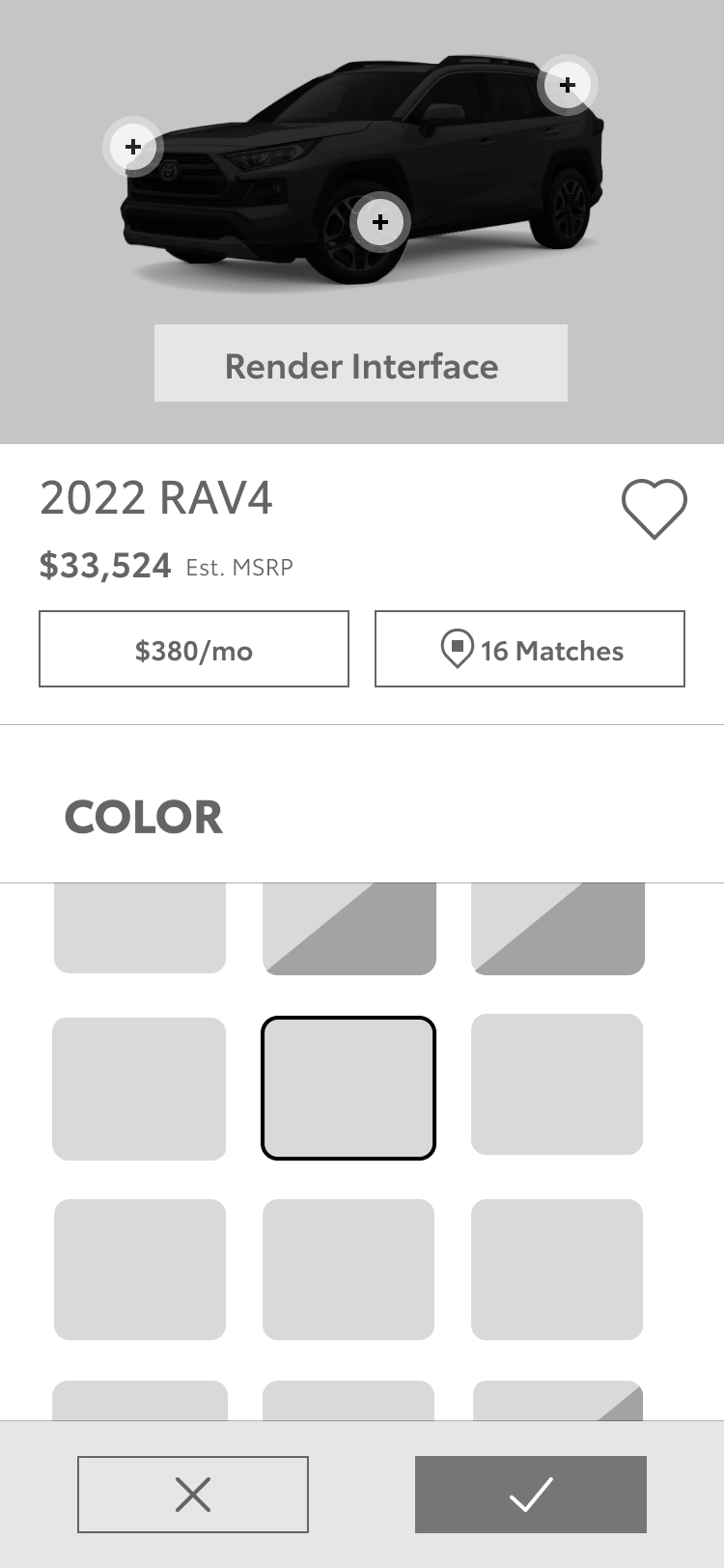
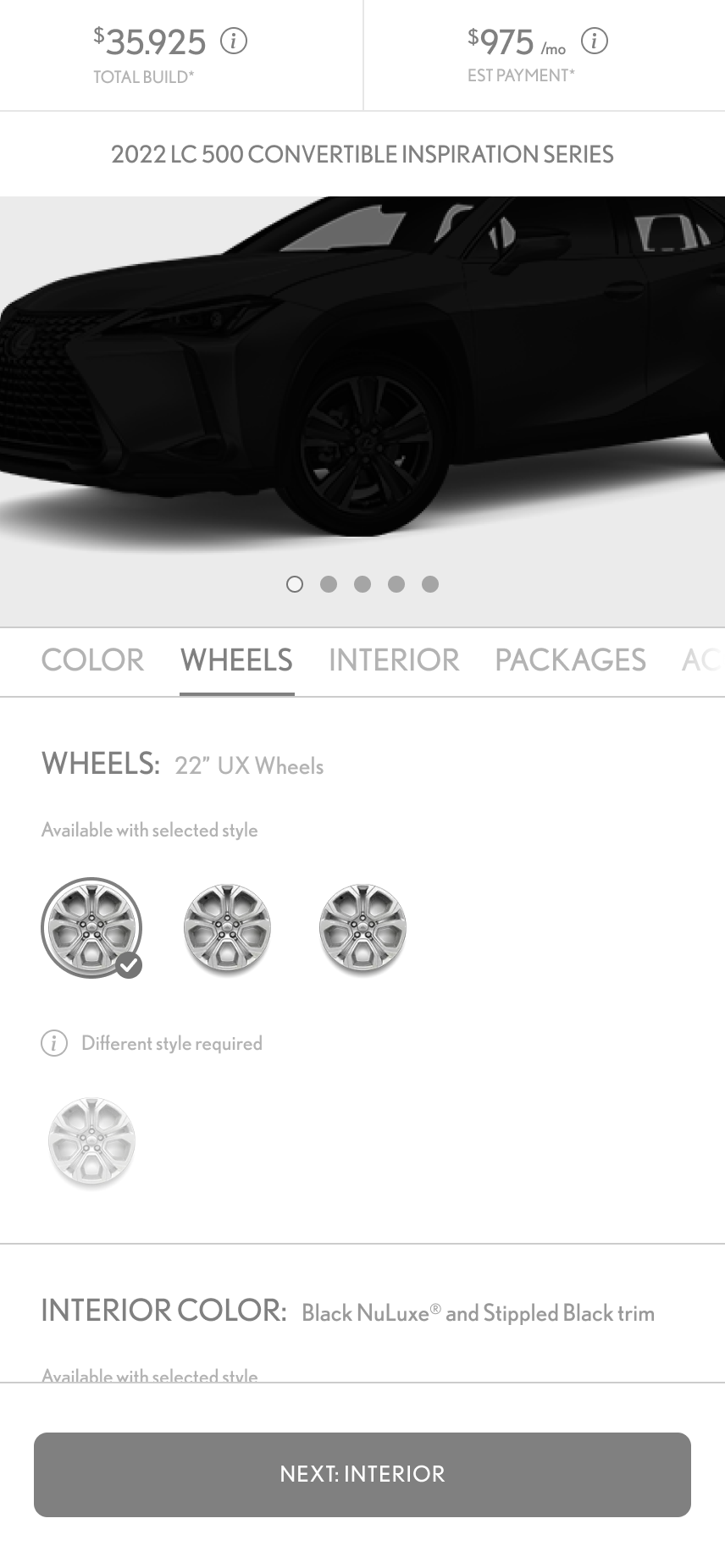
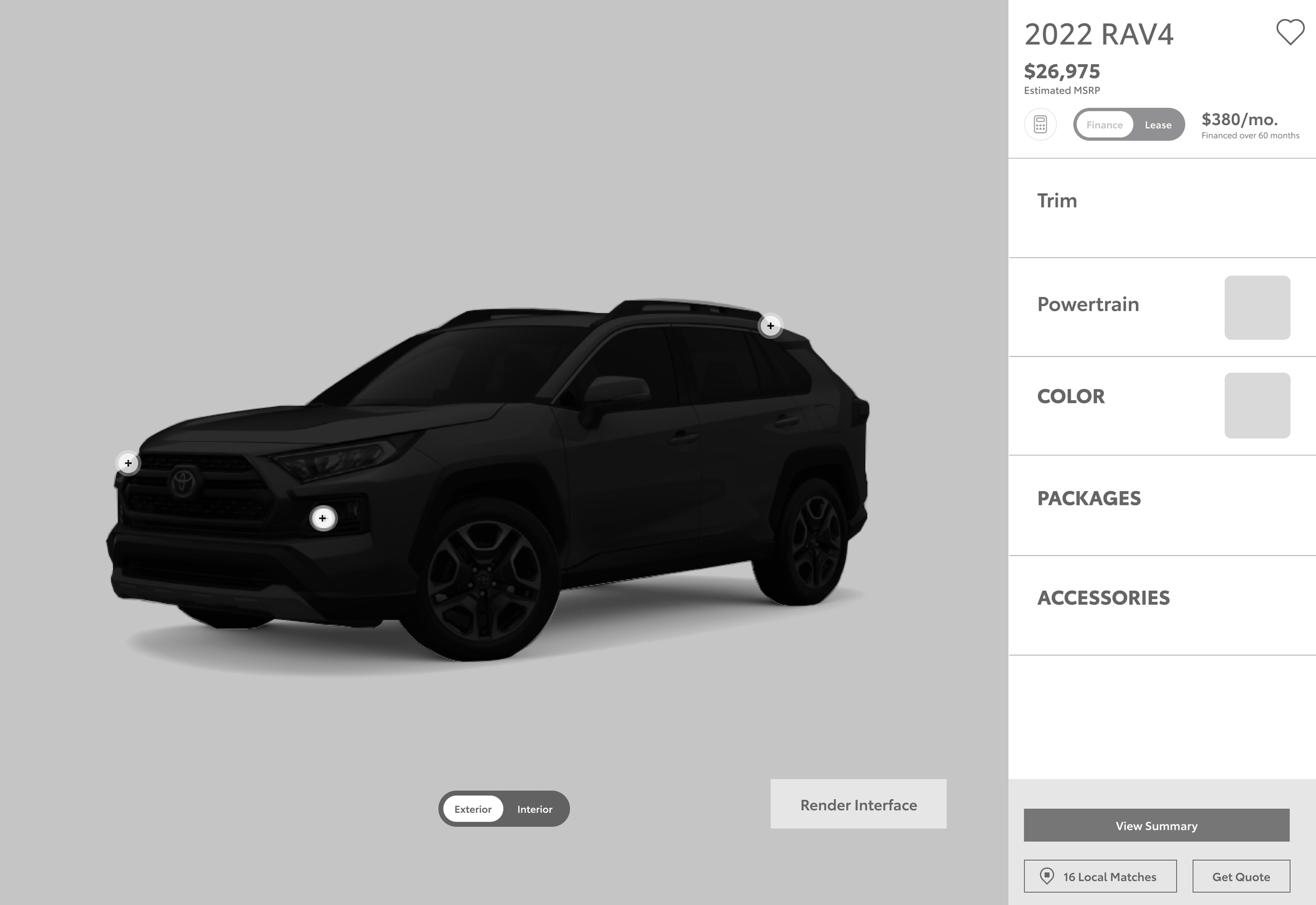
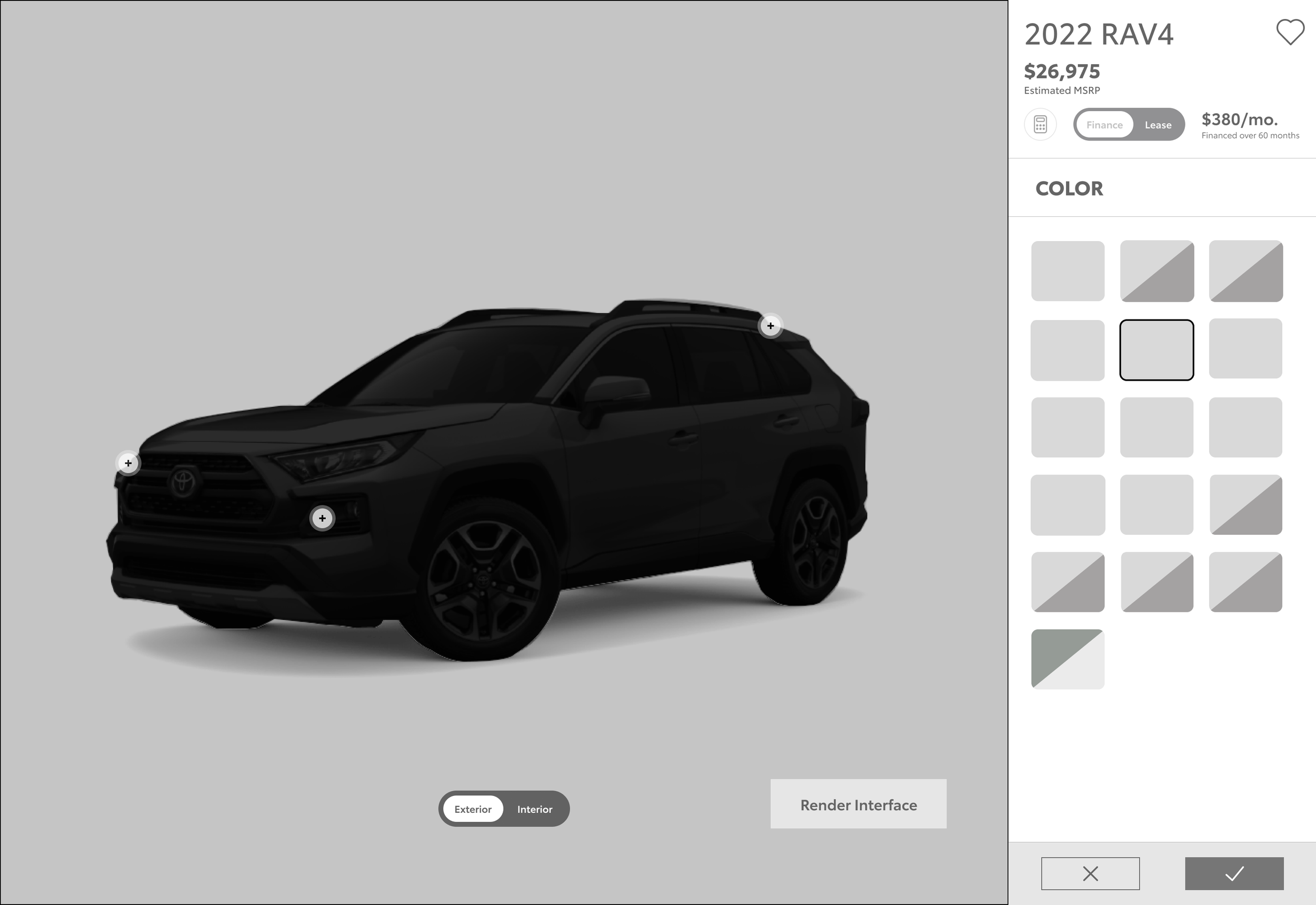
I created two distinctly different wireframe UI patterns, including single interaction clickable prototypes.
V1: A vertical interface utilizing traditional scrolling behavior.
V2: A horizontal interface utilizing swipe interactions allowing for a more visible interface on desktop but the opposite on mobile.
V3: I then had a teammate from the Lexus team explore a hybrid combination to maximize unused space that was a result of the render asset’s aspect ratio, and our clients preference for less negative space.…would it prove beneficial to squeeze more into the display area?
V1
Vertical scrolling interface to the right on desktop and below on mobile. Click through Evergreen “Lite Summary” to focus interactions on each step at a time…should we just make it a continuous scroll?
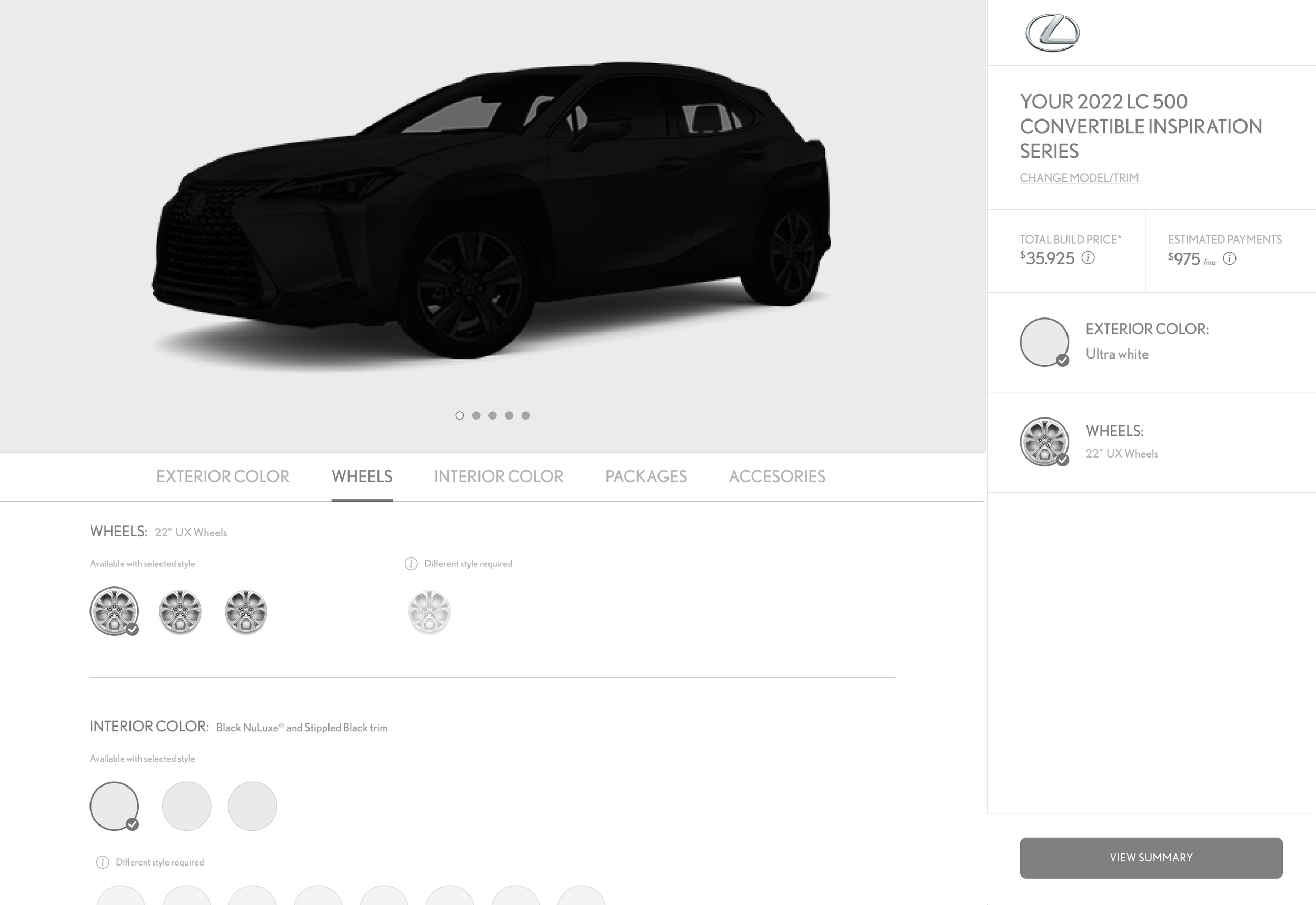
V3
Interface horizontally positioned at bottom of viewport + Evergreen “Lite Summary” vertically on the right
DESIGN
Vehicle Select Page
Updated Experience
Vehicle Select Card
Vehicle Selection Cards were increased in size allowing for the inclusion of more engaging lifestyle photos.
“Options” card-flip animation interaction added to educate users about what options are available for any vehicle.
Model Year toggle included to reduce redundancy of cards when more than one model year was present.
Previous Experience
Vehicle Select Card
Comparison: Mobile & Desktop
- Previous Experience Left
- Updated Experience Right
Reduction of the number of vehicle cards by ~25%, going from around 67 to 50 cards.
This also reduced the density of content and overall scroll height of the page.
DESIGN
Model Select Page
Updated Experience Trim Select Page & Trim Details
Previous Experience Trim Select Page & Trim Details
Reduced cognitive load through clarity & control.
By braking up the concatenations, we created a powertrain step that was quicker to grasp for users.
ARCHITECTURE
Powertrain
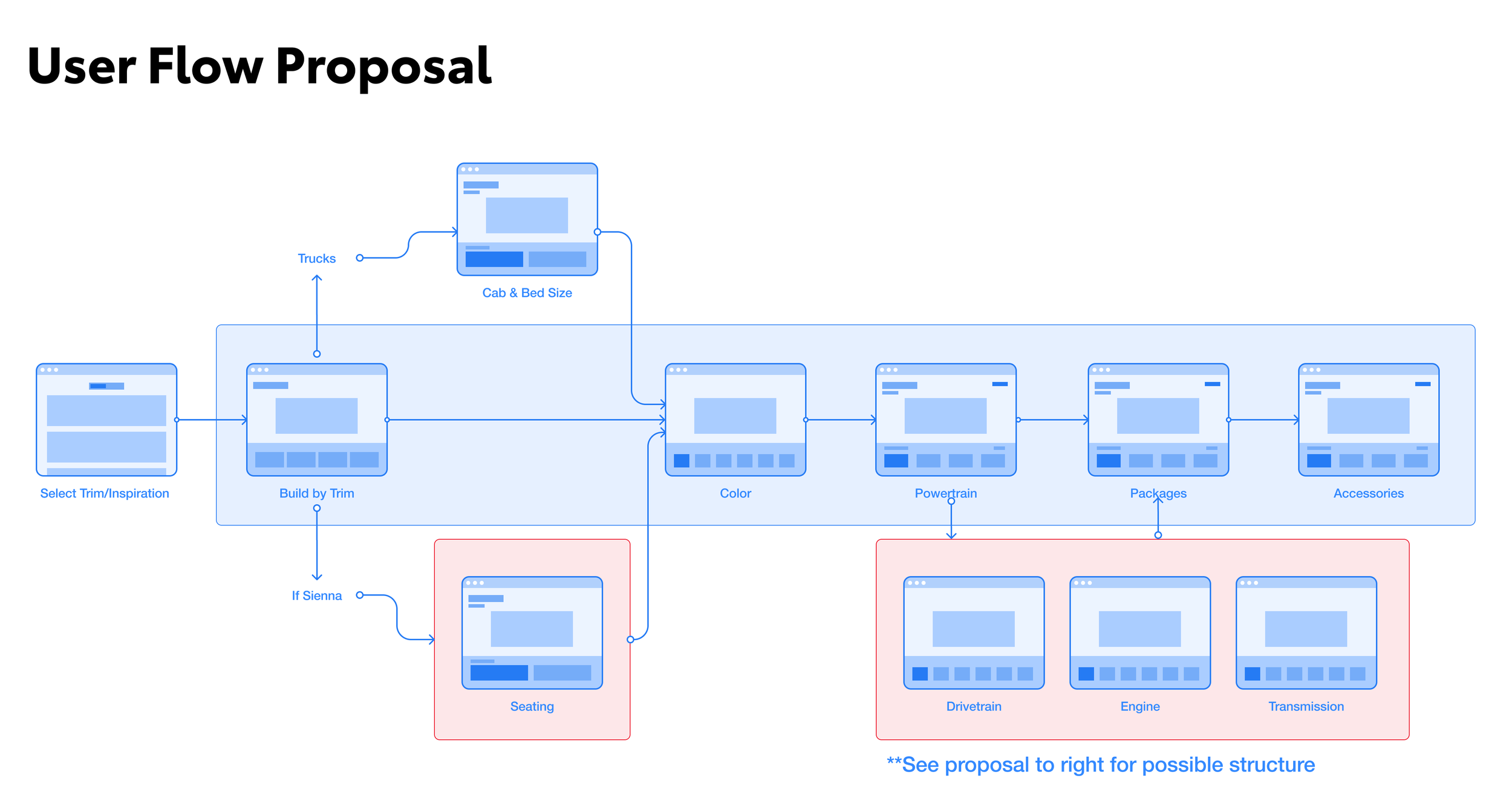
Updated Experience
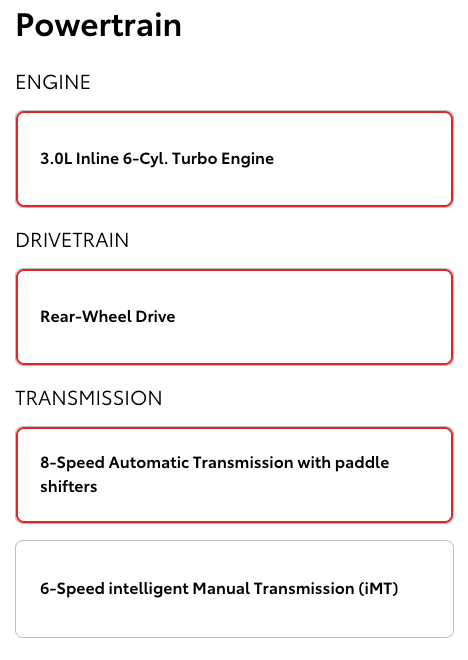
Previous Experience
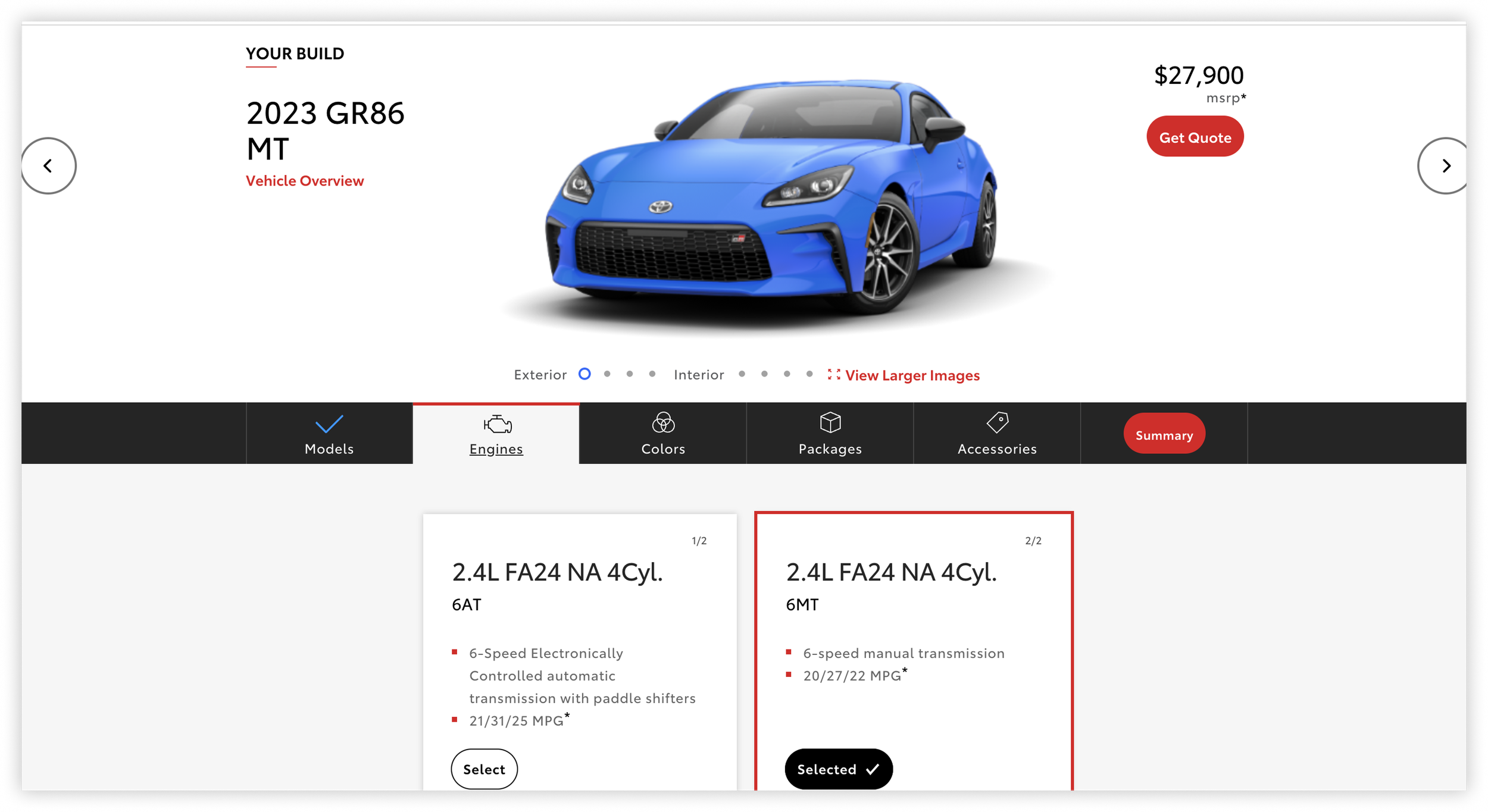
ARCHITECTURE
Packages
Redesign ..eliminate the modal overlay.
We were able to eliminate the need for an overlay by creating an accordion feature that kept users within the configurator interface when details existed, and otherwise eliminated the redundant overlay when it didn’t have any additional info to offer.
Updated Layout
Previous Layout
Rearchitect ..eliminate endless concatenations.
Users were bewildered, and so were we.
Careful analysis revealed that only a few different items were combined in countless ways creating upwards of 25 slightly different choices …nearly all with the same label.
Leveraging check box functionality rather than radio button functionality allowed us to significantly reduce cognitive load.
No longer was every possible combination needed. What was 25 choices is now 7.
Updated Functionality
Previous Functionality
USABILITY TESTING
Prototype
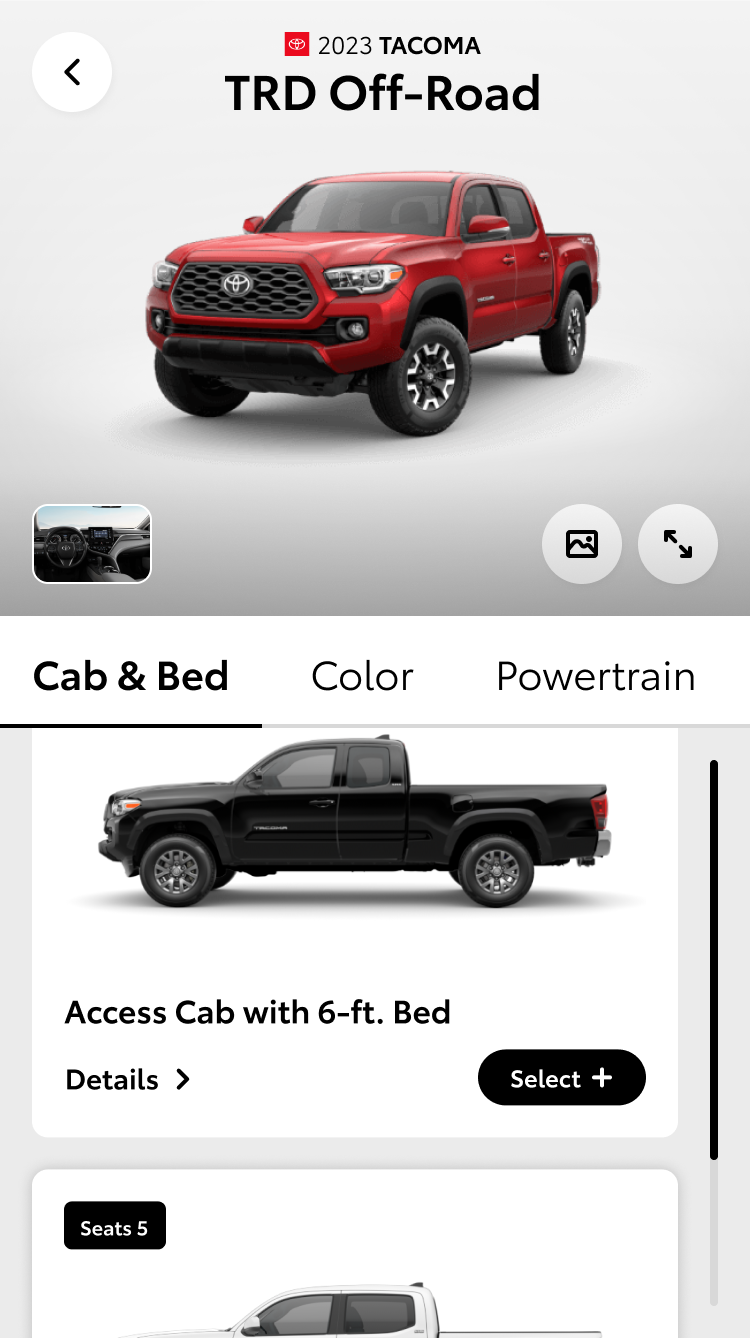
Fully functional prototype built in Figma for final usability testing. Prototype features include new “model compare” modal, decoupled packages, dependent packages and package conflicts, cost calculation, updated layout and animations plus functional summary page.
Prototype Flow: Build 2023 Tacoma TRD Off-Road
- Toggle Trucks category >>
- Tacoma vehicle card, toggle 2023 then (Select) >>
- TRD Off-Road vehicle card, (Build)
Additional Working Features (Pre-Configuration):
Vehicle Category Tabbed Carousel
Vehicle Selection Card (Options) CTA with animation
TRD Off-Road & TRD Sport details (comparison view)
Additional Working Features (Configuration):
Vehicle rotation
Interior/exterior view
Configuration cost
Working conflict: To add audio upgrade, user must add weather package.
HEAD TURNING NUMBERS
The new configurator has been wildly successful. Over the first year after launch, user engagement has increased dramatically compared to the previous experience.
31%
INCREASE
Completion Rate
20%
INCREASE
Accessory Add-Ons
65%
INCREASE
Dealer Quotes
124.9%
INCREASE
Payment Estimator Usage
63.7%
INCREASE
Credit Applications
Source: TMNA Analytics Readout
NEXT UP